

FAQ
Why didn't my workout unlock?
You can watch ONE workout per day. In order for the workout to be completed, you need to watch it until the end. Then the next workout will be unlocked the next day. Remember to finish watching your workout before midnight.
Why is the next MOveTIVATION level locked?
To unlock the next level in MOveTIVATION, you must have watched all workouts from the previous section. So: MOveTIVATION lvl. 2 will be unlocked once you watch all MOveTIVATION lvl 1 workouts.
The first workout is locked.
You need to watch the introductory video in the MOveTIVATION section until the end. Only after watching it, the first workout will be unlocked.
How many times a week should I exercise?
You should exercise 5 times a week and spend 2 days resting. Rest is very important to your recovery.
Can I use the application free of charge?
The app is free until December 31, 2022. From January 1, 2023, you will be able to use the application for free for the first 7 days. Installation of the application is free, but before you start using it, you must select a subscription, which will be charged after seven test days. During the first six days, you can unsubscribe from your Google or Apple account. After seven days, you’ll be charged.
Do I need internet access to run the application?
Yes. The MOveTIVATION application requires internet access to work properly.
What does the MOveTIVATION app contain?
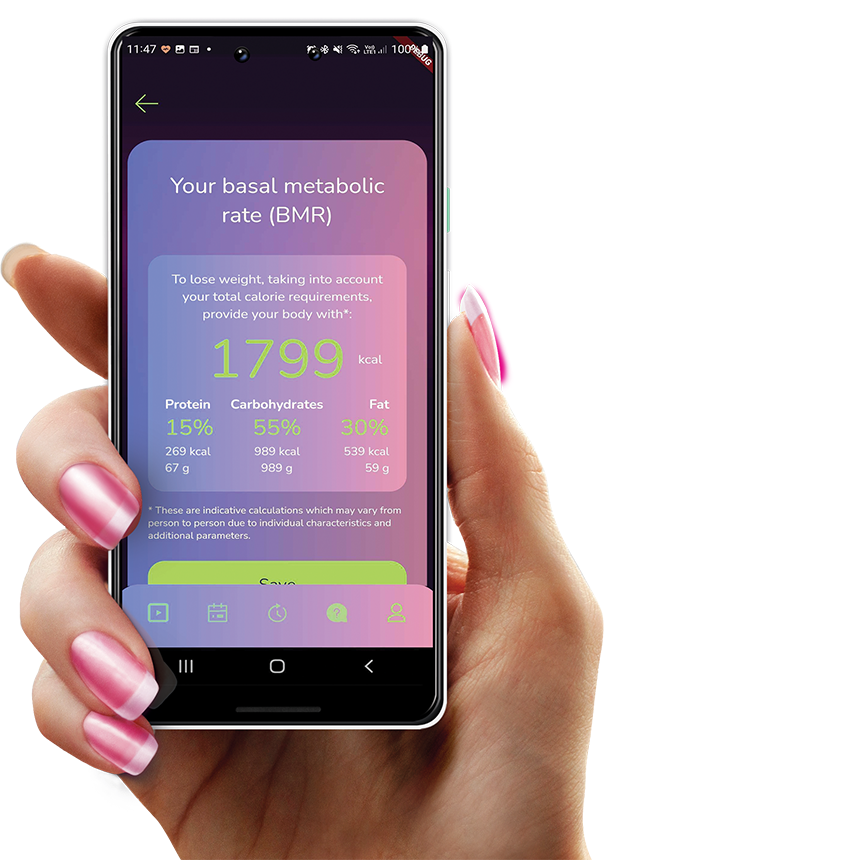
The application includes specialized workouts for obese people. It allows you to view video workouts, save your own body measurements, take pictures of your body and compare them over time to see the difference in appearance over time and training. The app also includes Technique, Stretching and Warm-up sections. Other features of the app are: reminders on drinking water and calorie calculator.
Are the watched MOveTIVATION workouts always available?
Yes. All MOveTIVATION workouts you watched are unlocked.
What devices does MOveTIVATION work on?
The mobile application works on mobile phones and tablets with Android and iOS.
Can I do other workouts besides the MOveTIVATION section?
Yes. All workouts, except for the MOveTIVATION section, are permanently available in the app.
The video doesn't work, what should I do?
You probably have an internet problem. For the application to work properly, internet access is required. Check phone settings, range, and WI-FI access.
How do I add my measurements?
In the Progress section (clock icon in the bottom menu) you have access to your measurements and photos taken in the app. You can add a measurement and photos when starting the application or at any other time when using the application by touching the „Add new measurement” button under the chart. Note: you can add up to one measurement per day. Measurements are assigned to points on the chart. After selecting a specific point, the measurement date and more detailed information on a given day appear.
Can I edit an entry in the Progress section?
Editing in this section is only possible for today’s entry. Entries from previous days are not editable. You can delete any entry, but deleting an entry on a date other than today is irreversible. During one day, you can edit, delete and add measurements and photos many times.
Why is my chart in the Progress section blank?
The chart may be blank and contain no data if you do not provide your measurements and photos when starting the application. You can add measurements by selecting the button with the plus sign below the chart.
Can I add measurements without photos?
Yes. You can add measurements without photos. The presence of a photo at a measurement is indicated by the icon and the word “photo”. Adding photos makes it possible to compare them over time.
How to compare the photos taken in the application?
The photos are always compared to the oldest one. Select a point on the graph on the day you want to compare the photo and click the photo icon. You will see three photos of your figure from a given day (front, side and back) and after choosing one of them you can compare it with the oldest one available in the application.
Who has access to my measurements and photos?
Anyone who has login details for your account. Photos and measurements are stored on the server and are assigned to a given account.
I want to cancel my subscription - what do I have to do?
To cancel your subscription, you must follow the instructions in the links below:
iOS: https://support.apple.com/pl-pl/HT202039
Android: https://support.google.com/googleplay/answer/7018481?co=GENIE.Platform%3DAndroid&hl=pl
Get the app now
For free!
Free exercise until the end of December,
fight for yourself today!